10 JUL 2026 - Back up to full speed! Let's be honest: for the last few months, TorrentFunk was painfully slow. Pages crawled, searches dragged, and just loading the site tested everyone's patience. We hunted the problem down to our network and rebuilt it from the ground up — smarter caching, a much bigger and faster connection, and a lot of fine-tuning under the hood. The difference is night and day: the site now loads in a fraction of a second. No more waiting around. Thanks for sticking with us through the slow spell. Now go discover your funk!
Wipe Professional 2021.04 Multilingua
Strumento semplice e potente che può eliminare gigabyte di spazzatura del computer, ad esempio: cronologia di navigazione, file index.dat, cookie, cache, registri, file temporanei Internet, cronologia ricerche e molti altri elementi.
Proteggi la tua privacy online!
Recupera molti gigabyte di spazio libero!
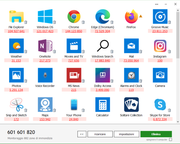
Nella finestra principale del programma si mostra la quantità totale di rifiuti elettronici che hai sul tuo computer al momento attuale.
Hai 3 modi per iniziare: modificare le impostazioni, avviare la pulizia o personalizzare il processo di pulizia.
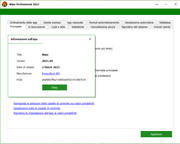
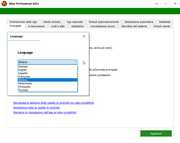
Impostazioni del programma. Personalizzi molte funzioni di questo software. Ad esempio, è possibile impostare le opzioni di sicurezza per impedire il recupero dei file eliminati.
Personalizzazione del processo di pulizia - elenco dettagliato. È possibile scorrere l'elenco dei programmi supportati e selezionare tutte le aree che si desidera pulire. È possibile visualizzare il contenuto di ciascuna area o addirittura pulirlo separatamente.
Simple and powerful tool that can delete gigabytes of computer junk, for example: browsing history, index.dat files, cookies, cache, logs, temporary internet files, search history and many other items.
Protect your online privacy!
Recover many gigabytes of free space!
The main program window shows the total amount of e-waste you have on your computer at the current time.
You have 3 ways to get started: change settings, start cleaning, or customize the cleaning process.
Program settings. Customize many features of this software. For example, you can set security options to prevent the recovery of deleted files.
Customization of the cleaning process - detailed list. You can scroll through the list of supported programs and select all the areas you want to clean. You can view the contents of each area or even clean it separately.
Requisiti: Microsoft Windows


![Wipe Professional 2021.04 Multi [WEB]](https://f.t0r.space/no-cover.webp)