10 JUL 2026 - Back up to full speed! Let's be honest: for the last few months, TorrentFunk was painfully slow. Pages crawled, searches dragged, and just loading the site tested everyone's patience. We hunted the problem down to our network and rebuilt it from the ground up — smarter caching, a much bigger and faster connection, and a lot of fine-tuning under the hood. The difference is night and day: the site now loads in a fraction of a second. No more waiting around. Thanks for sticking with us through the slow spell. Now go discover your funk!
TORRENT DETAILS
Polarr Photo Editor Pro 5.11.11
TORRENT SUMMARY
Status:
All the torrents in this section have been verified by our verification system
It doesn’t matter if you’re new to photography or a pro, Polarr has it all. Novices will appreciate that Polarr offers advanced auto-enhance tools and sophisticated filters to edit all the details of your photo. Pro photographers will look forward to our layer support, curve tools, local adjustments and so much more.
Key Features of Polarr Photo Editor Pro
Main Features
Custom overlay and complex blending modes
Dual lens effects and depth adjustments
Complete set of masking and local adjustment tools
Advanced suite of face-editing tools with smart detection
Create, customize and share your own filters
Batch exporting
Overview
Custom overlay and complex blending modes
Dual lens effects and depth adjustments
Complete set of masking and local adjustment tools
Advanced suite of face-editing tools with smart detection
Create, customize and share your own filters
Batch exporting
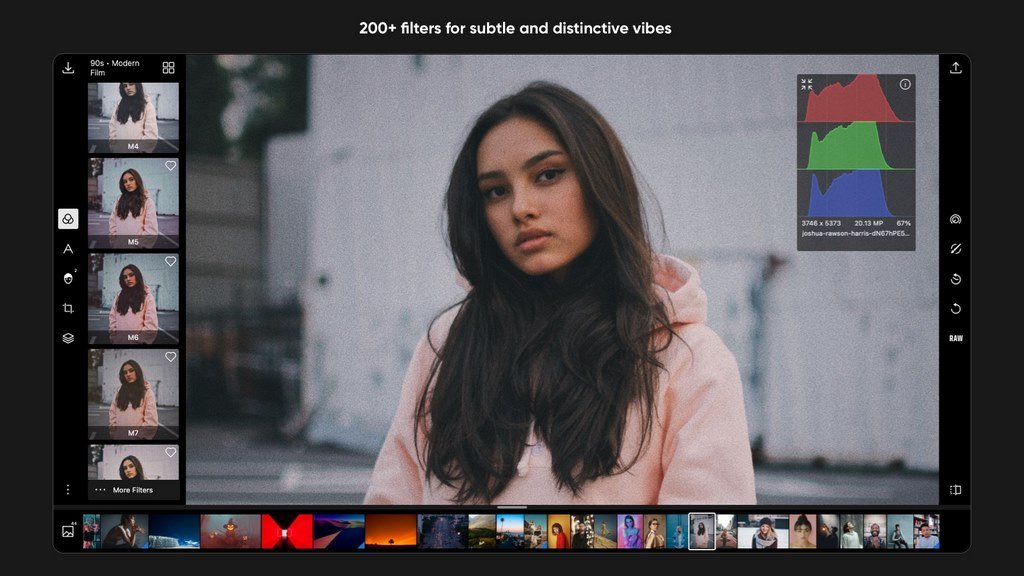
Filters
Make and share your own custom Filters
Get started with basic filters, grow with pro filters
Sync filters between all of your devices
Layers and blending modes
Superimpose photos with 10 and more blending modes
Add photorealistic effects like clouds, weather effects, light leaks, flares and more
Duotone your photos with our presets or create your own unique flavor
Local adjustments include
Depth mask: Adjust photo based on depth using the dual camera
Brush mask: Draw your mask with an advanced edge-aware brush
Color mask: Selective adjustment with color
Radial mask: Circular adjustment over your photo
Gradient mask: Adjusting photo over a gradient
Luminance mask: Selective adjustment based on brightness.
Additional local tools: Lens blur, feathering, invert, and more
Blend any local adjustment mask with an overlay
Unlimited stacking of local adjustments.
Global adjustments include
Intelligent auto enhance for exposure and white balance