10 JUL 2026 - Back up to full speed! Let's be honest: for the last few months, TorrentFunk was painfully slow. Pages crawled, searches dragged, and just loading the site tested everyone's patience. We hunted the problem down to our network and rebuilt it from the ground up — smarter caching, a much bigger and faster connection, and a lot of fine-tuning under the hood. The difference is night and day: the site now loads in a fraction of a second. No more waiting around. Thanks for sticking with us through the slow spell. Now go discover your funk!
TORRENT DETAILS
[FreeCourseWeb] Computer Fundamentals - Hardware And Network Troubleshooting
TORRENT SUMMARY
Status:
All the torrents in this section have been verified by our verification system
[FreeCourseWeb] Computer Fundamentals - Hardware and Network Troubleshooting
MP4 | Video: AVC 1280x720 | Audio: AAC 44KHz 2ch | Duration: 2 Hours | 236 MB
Genre: eLearning | Language: English
In this course you will learn about the standard 6-step troubleshooting methodology, and will explore how to apply this methodology to resolve issues related to hardware such as printers, monitors, and smartphones.
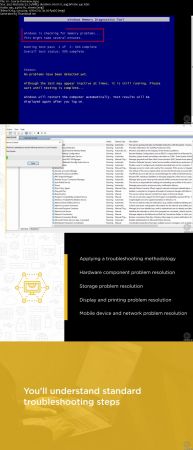
A structured approach to solving computing problems results in cost savings and quicker problem resolution times. In this course, Computer Fundamentals: Hardware and Network Troubleshooting, you will apply troubleshooting steps to a variety of problems. First, you'll learn about the 6-step troubleshooting methodology. Next, you'll see how this methodology is applied to solving issues related to power, hardware components, displays, and printers. Finally, you'll explore how to quickly resolve issues related to mobile devices. When you're finished with this course, you'll know how to effectively apply troubleshooting steps to IT issues.
!! PLEASE SEED !! PLEASE SEED !! PLEASE SEED !!THAT IS WHAT I ONLY NEED FROM YOU to KEEP THIS TORRENT LIVE. THANK YOU!!!
VISITOR COMMENTS (0 )
FILE LIST
Filename
Size
01 - Course Overview.mp4
3.7 MB
02 - Module Introduction.mp4
2.5 MB
03 - Troubleshooting - Identify the Problem.mp4
5.6 MB
04 - Troubleshooting - Establish a Theory of Probable Cause.mp4
9.5 MB
05 - Troubleshooting - Test the Theory.mp4
7.5 MB
06 - Troubleshooting - Establish a Plan of Action.mp4
5.9 MB
07 - Troubleshooting - Verify System Functionality.mp4
5.3 MB
08 - Troubleshooting - Document Findings.mp4
3 MB
09 - Module Summary.mp4
2.6 MB
10 - Module Introduction.mp4
1.5 MB
11 - Power Issues.mp4
9 MB
12 - Motherboard, CPU, and RAM Issues.mp4
15.5 MB
13 - Demo - Run a Memory Test.mp4
5.1 MB
14 - Storage and RAID Issues.mp4
14.5 MB
15 - Demo - View RAID Controller Status Information.mp4
11.2 MB
16 - Module Summary.mp4
2.3 MB
17 - Module Introduction.mp4
1.4 MB
18 - Display Monitor and Projector Issues.mp4
12.7 MB
19 - Demo - Rollback a Windows Video Driver.mp4
8.6 MB
20 - Printing Issues.mp4
10.9 MB
21 - Demo - Troubleshoot Windows Printing Issues.mp4
17.3 MB
22 - Module Summary.mp4
2.1 MB
23 - Module Introduction.mp4
1.7 MB
24 - Mobile Device Power and Network Issues.mp4
8.1 MB
25 - Mobile Device Performance, Input, and SIM Issues.mp4
8.4 MB
26 - Wired Network Issues.mp4
12.4 MB
27 - Demo - Use Common Commands to Test Network Connectivity.mp4
17.9 MB
28 - Wireless Network Issues.mp4
6.6 MB
29 - Demo - Run a Wireless Network Speed Test.mp4
3.7 MB
30 - Demo - Configure a Hidden Wi-Fi Network SSID.mp4


![[FreeCourseWeb] Computer Fundamentals - Hardware and Network Troubleshooting](https://f.t0r.space/cover/18620369.webp)

 MP4 | Video: AVC 1280x720 | Audio: AAC 44KHz 2ch | Duration: 2 Hours | 236 MB
Genre: eLearning | Language: English
In this course you will learn about the standard 6-step troubleshooting methodology, and will explore how to apply this methodology to resolve issues related to hardware such as printers, monitors, and smartphones.
A structured approach to solving computing problems results in cost savings and quicker problem resolution times. In this course, Computer Fundamentals: Hardware and Network Troubleshooting, you will apply troubleshooting steps to a variety of problems. First, you'll learn about the 6-step troubleshooting methodology. Next, you'll see how this methodology is applied to solving issues related to power, hardware components, displays, and printers. Finally, you'll explore how to quickly resolve issues related to mobile devices. When you're finished with this course, you'll know how to effectively apply troubleshooting steps to IT issues.
MP4 | Video: AVC 1280x720 | Audio: AAC 44KHz 2ch | Duration: 2 Hours | 236 MB
Genre: eLearning | Language: English
In this course you will learn about the standard 6-step troubleshooting methodology, and will explore how to apply this methodology to resolve issues related to hardware such as printers, monitors, and smartphones.
A structured approach to solving computing problems results in cost savings and quicker problem resolution times. In this course, Computer Fundamentals: Hardware and Network Troubleshooting, you will apply troubleshooting steps to a variety of problems. First, you'll learn about the 6-step troubleshooting methodology. Next, you'll see how this methodology is applied to solving issues related to power, hardware components, displays, and printers. Finally, you'll explore how to quickly resolve issues related to mobile devices. When you're finished with this course, you'll know how to effectively apply troubleshooting steps to IT issues.

